In 2019 Google removed access to "brand accounts" for Google For Education users.
Any user who had previously created a new channel in Youtube has what is considered a "brand account" as the channel is not directly connected to their Google Account.
Please follow the instructions below to correct your account before deletion by Google.
David Douglas School District IT Administrators are unable to stop Google from making these changes.
________________________________________________________________________________________
Brand accounts will be deleted with loss of any saved content by July 2020 (If an extension request was sent to Google)
If there is no extension request the account will be deleted on November 15th, 2019
________________________________________________________________________________________
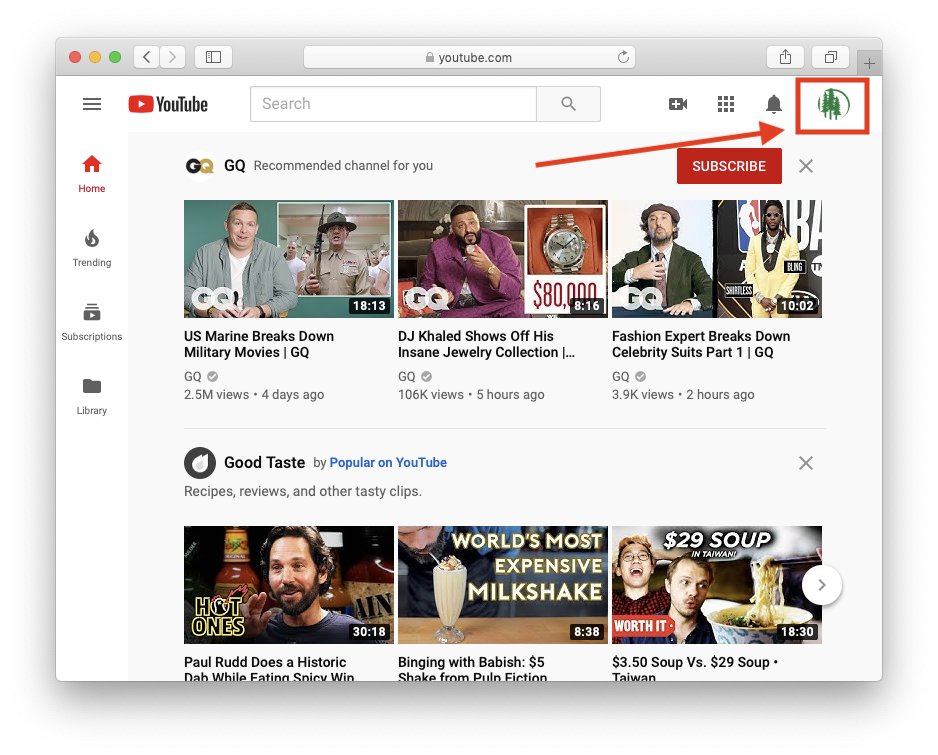
Users should go to www.youtube.com and sign in with their DDSD Account
On the main page click on the user icon on the top right of the window:
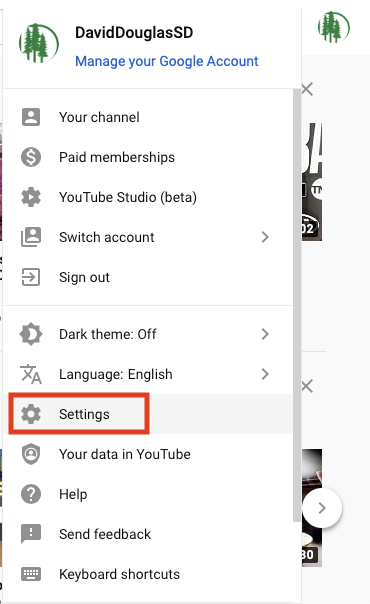
A menu will drop down. Select "Settings"
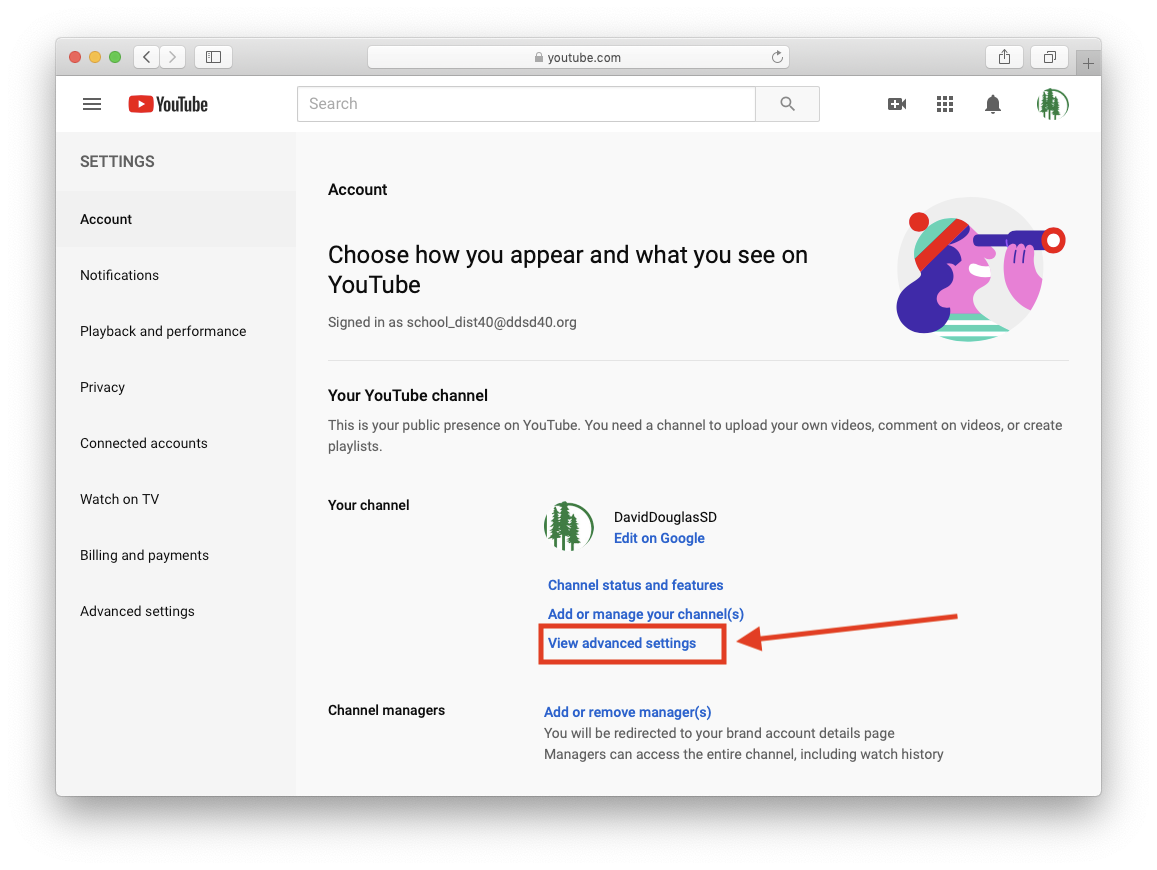
Once on the settings page. Select "View Advanced Settings"
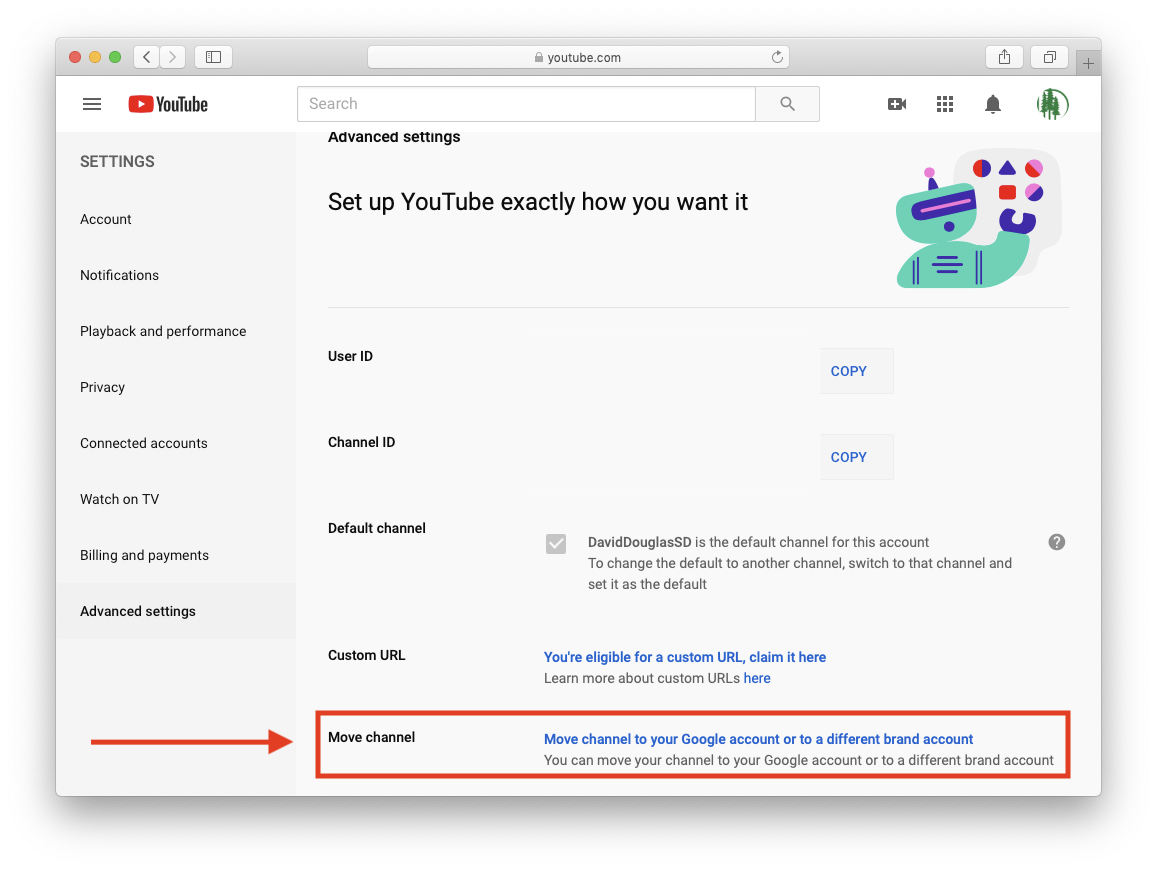
Under Advanced Settings Look For "Move Channel"
Select The Link:
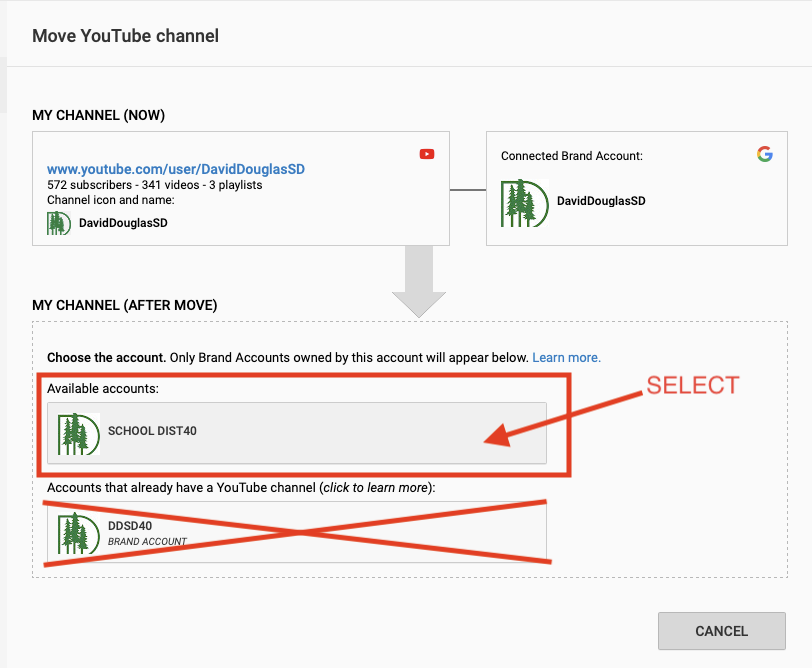
On the "Move Youtube Channel" Page users will select which available account to move the channel to. This account has to be your regular DDSD Account.
Do not choose another brand account if one is seen. (Example in graphic below)
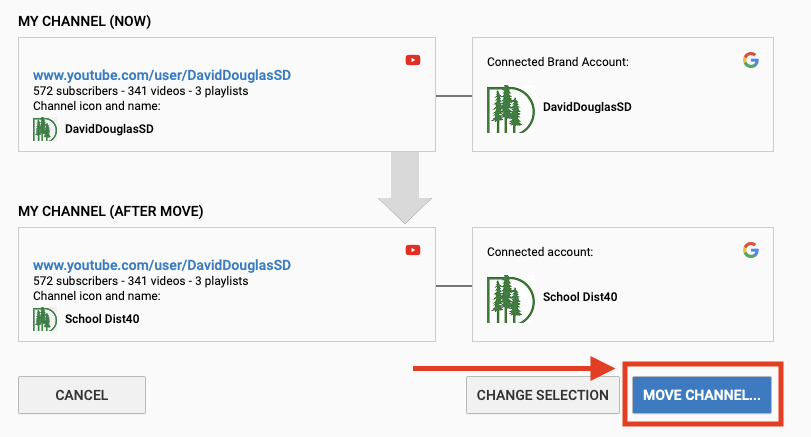
Once selected, confirm how your channel will be moved. It should show a regular "Connected Account" instead of "Brand Account"
Select "Move Channel..."
Depending on the amount of content, it may take some time to move.
After this, your account should be back to normal and no longer contain a Brand Account.
Check the "Advanced Settings" again to see if it shows the option to move a brand account. It should no longer show the option to move to your "Google account"

